Package execution
Inspect the package name, requested actions, terminal output, exit state, and installed files. Copying the command is never reported as successful installation.
Evidence: local installer output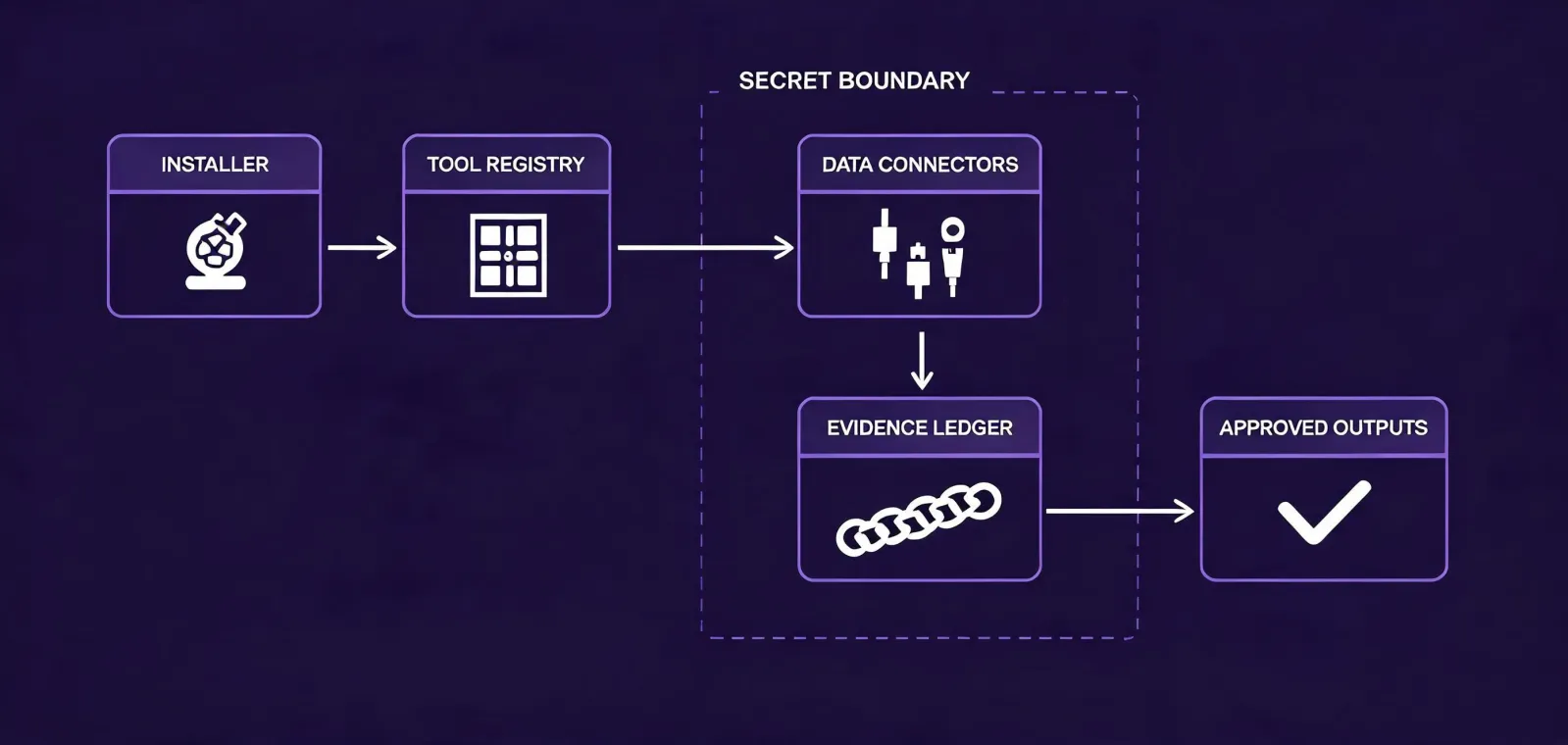
Agent Integrations
The architecture favors explicit tool permissions, inspectable data movement, and human approval boundaries. Compatibility should be verified from the live installer rather than inferred from decorative logo walls.
Runtime dashboard
Inspect the package name, requested actions, terminal output, exit state, and installed files. Copying the command is never reported as successful installation.
Evidence: local installer outputConfirm where the skill is registered, how it is invoked, which context it can read, and how an operator disables or removes it.
Evidence: runtime configurationKeep provider keys in environment secrets with minimum scope. Validate whether logs, retries, error messages, or generated files can reveal a credential.
Evidence: configuration reviewDocument source terms, API rate limits, field provenance, refresh behavior, and deletion obligations. Mark unsupported or unverified connectors as unknown.
Evidence: provider contractSeparate research output, CRM updates, drafts, and sending. Require a named human decision before any external communication or irreversible write.
Evidence: workflow policyThis page does not claim a runtime count or official partnership. Run the installer in a non-production environment and record the package version, date, operating system, and agent runtime.
Status: verify locallyStart with read-only company discovery when possible. Add contact lookup, CRM updates, or sequence preparation only after the preceding evidence and review controls pass. Different credentials should reflect different capabilities.
Open workflow specificationRate limits, timeouts, partial responses, provider conflicts, and unavailable fields must remain visible. Retries need bounds; unknown values should not be replaced with convenient guesses.
Read the methodologyWrite test results to a sandbox or review queue before a production CRM. Preserve source, date, prior value, proposed value, approver, and rollback state for material changes.
Review operating contextsPlace the exact command on the clipboard; no system state changes yet.
Execute the npm installer and inspect the package prompt, network behavior, files, and exit status.
Confirm that the selected agent runtime recognizes the skill and exposes only intended tools.
Add minimum-scope credentials, then test provider limits, provenance, retention, and deletion.
Validate a known cohort and require human review before CRM writes or outreach.
Run in a controlled environment and record the evidence produced at each state.
npx -y @okki-global/okki-go-taroball